Receipt OCR
Photograph a delivery receipt and the form fills itself, but a person checks it against the image before it becomes a record.
The 61 second excerpt follows one receipt from capture through review, reporting and CSV export in the demo environment. Figures shown are not measured client results. The opening and closing panels with illustrative performance figures have been removed.
The situation
A distribution business was running deliveries on paper. Every receipt carried an order number, an invoice number, a delivery note, a vehicle number, the dealer, and a line per product with the quantity delivered and whatever broke, leaked or went missing on the way. Someone typed all of it in by hand, and reporting was always behind reality.
Extraction alone was not the product. The people using it needed to check the fields against the document, correct what the model got wrong, and then use the saved records for reports by dealer and brand.
How it works
The diagram is the pipeline. The frames below it are taken from the recording.
- CaptureUpload an image or take one with the device camera in the browser.
- ReadGemini vision, called through PydanticAI, returns the header fields plus a line per product with quantity, shortage, breakage and leakage.
- GateMatchDealer and SKU are matched to the master lists and offered as dropdowns, never stored as free text.
- GateReviewThe form sits beside the image with a confidence mark per field. A person corrects and saves.
- StoreRecordReceipt and items are written to PostgreSQL with the image URL, and a database constraint enforces the quantity rule.
- ReportDashboards and CSV export read from the same tables, filtered by dealer, brand and date.
Receipts as records
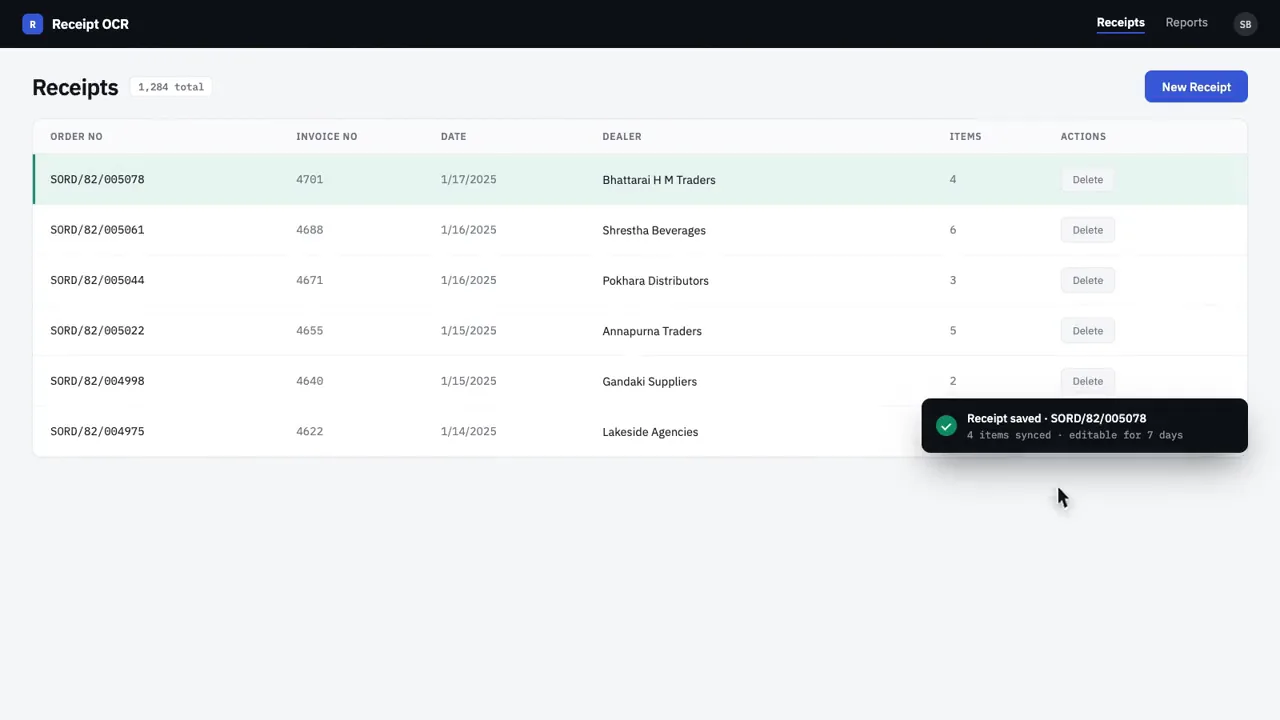
Every processed receipt is a row with its order number, dealer, date and item count, and a window in which it can still be edited.
Capture from the browser
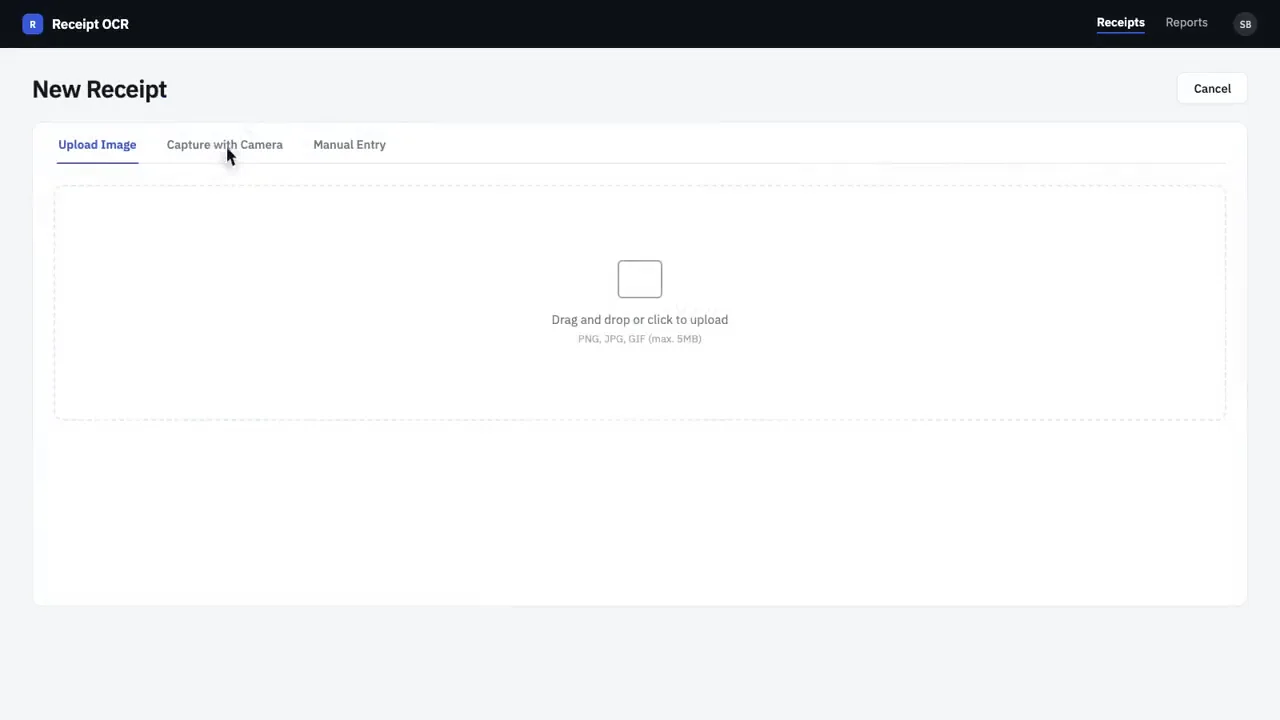
Upload an image or use the camera directly. Manual entry stays available for the days when the paper is unreadable.
Fields fill in beside the image
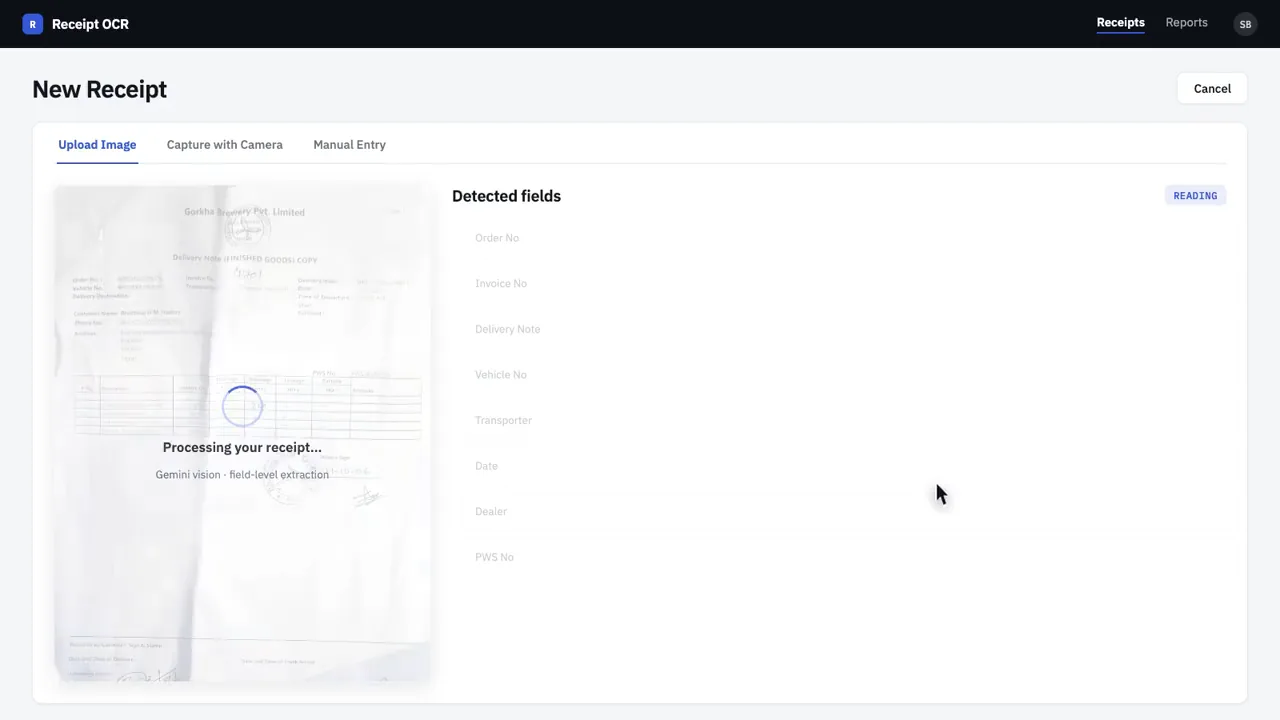
The vision model reads the receipt and the detected fields appear next to the original, each with a confidence mark.
Match items to the master list
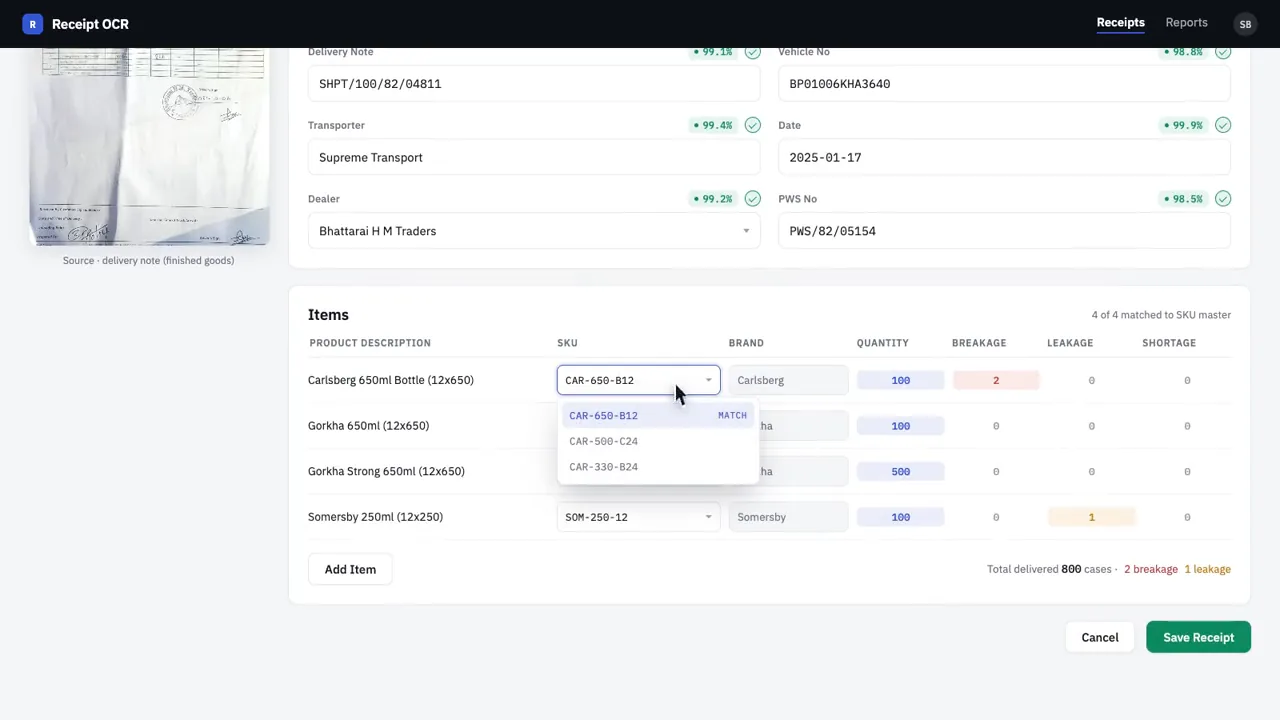
Product lines come back with quantity, breakage, leakage and shortage. The SKU dropdown matches the description to the system’s product codes.
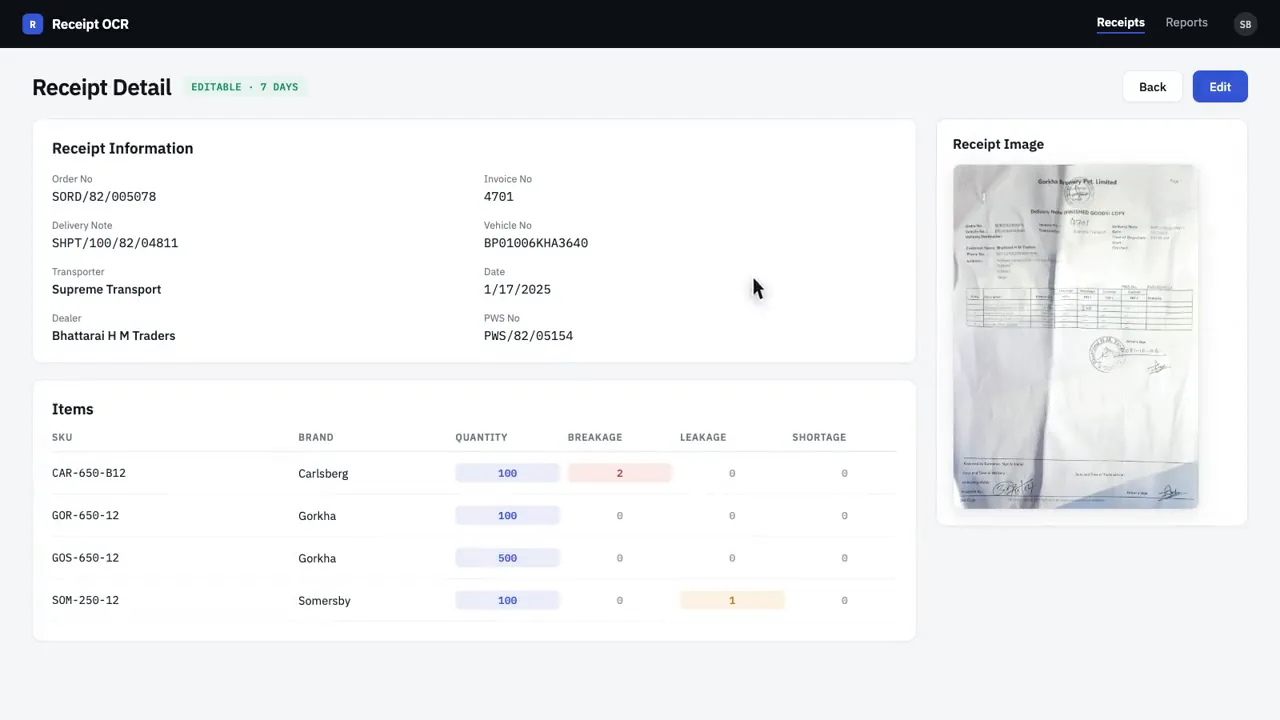
Keep the image with the record
The saved receipt shows its structured fields and items with the source image alongside, so anyone can check the extraction later.
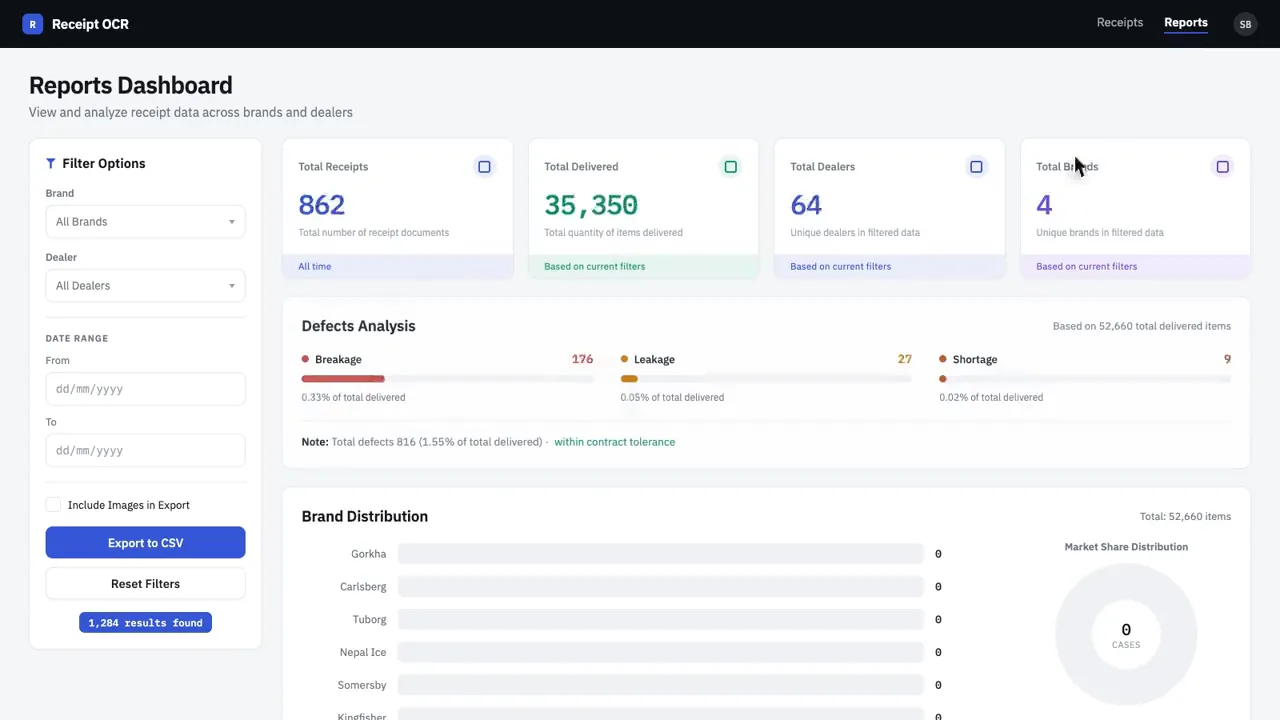
Report from the same tables
Totals, defect analysis and brand distribution read straight from the receipt records with dealer and date filters.
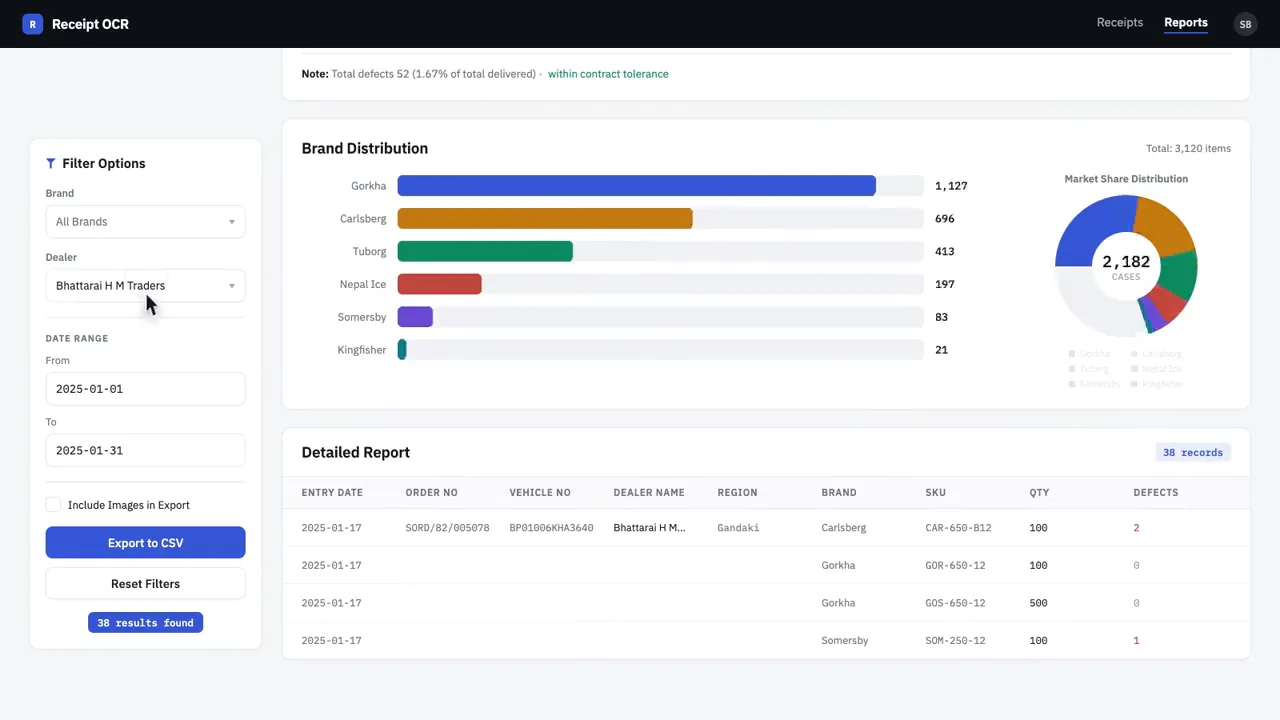
Export what you filtered
The filtered report goes out as CSV, with the option to include the source images.
Decisions that mattered
Review before record
Nothing is saved until a person has seen the fields beside the image. The confidence marks direct attention to the fields worth a second look.
Rules in the database
Breakage plus leakage plus shortage can never exceed quantity. That is a check constraint on the items table, not a prompt instruction, so no extraction can violate it.
Master lists, not free text
Dealer and SKU are foreign keys. The model’s guess preselects a dropdown, and the saved value is always a real code.
Keep the image forever
The original photo is stored with the record and shown on the detail page, which is what makes the extracted data auditable.
Where it landed
Manual entry left the daily routine while every record stayed checkable against its source image, and the reports the business wanted came from the same tables the receipts were saved to.
- Source image stored with every record
- Dealers and products verified against the system
- Data rules live in the database
- No volume or accuracy figure was measured, so none is quoted here.
- The client stays unnamed.
- The first pass had rough edges I logged and worked through, like a process button with no loading state and a details page showing the same value in two columns.
Notes from the build
Written in my own words, after the fact. Opinions, not claims.
This one taught me the unglamorous parts of a document workflow. The vision model was the easy bit. Most of the work was the dropdowns, the confidence marks, the edit window, and the reports page.
I started with a Streamlit prototype to prove the extraction on real receipts, then rebuilt it properly in Next.js with a small FastAPI service for the model call. The prototype was worth it because the field list only settled after seeing real receipts.
My own to do list from the build reads like a lesson in product polish. A process button with no loading state looks broken while the model runs. A details page showing the same value in two columns costs more trust than a wrong extraction. Those are the things I fix first now.
Nawap Bastola · 2026