Text-to-BI
Ask a business question in plain English and get back checked SQL, a table or a chart, and an answer that streams in as the work happens.
The 80 second recording shows the ZenAI interface answering questions about a sample dataset. The company names and figures in it are synthetic.
The situation
Staff at Aqore’s clients needed numbers out of the company database and had no way to get them without waiting for someone who could write SQL. The first version of the assistant had the usual text to SQL problems. The model produced queries in the wrong shape, picked the wrong tables, and failed with no retry and no clear error. A persistence bug meant saved conversations would not even load back correctly.
I joined the project to make it dependable. That meant treating the pipeline as a chain of small, checkable steps rather than one clever prompt, and making the interface show its work while it ran.
How it works
The diagram is the pipeline. The frames below it are taken from the recording.
- GateQuestionThe user asks in plain language. Off topic or unauthorised requests are rejected here.
- Rewrite and embedThe question is rewritten for clarity and embedded.
- Find tablesA vector index of table schemas returns candidates. An agent picks the relevant ones and a validation loop checks the choice.
- GateGenerate SQLThe prompt carries the question, dialect and schemas. The output is validated and rewritten if it comes back malformed.
- StoreRun the queryResults come back from PostgreSQL as tables.
- Decide the formatA direct answer, a chart, or a report. Chart and report code runs in an E2B sandbox, never on the server.
- StreamEach step is serialised as a server sent event from FastAPI so the interface shows progress as it happens.
- GateVerifyA verifier agent checks the final answer against the retrieved data before it is shown.
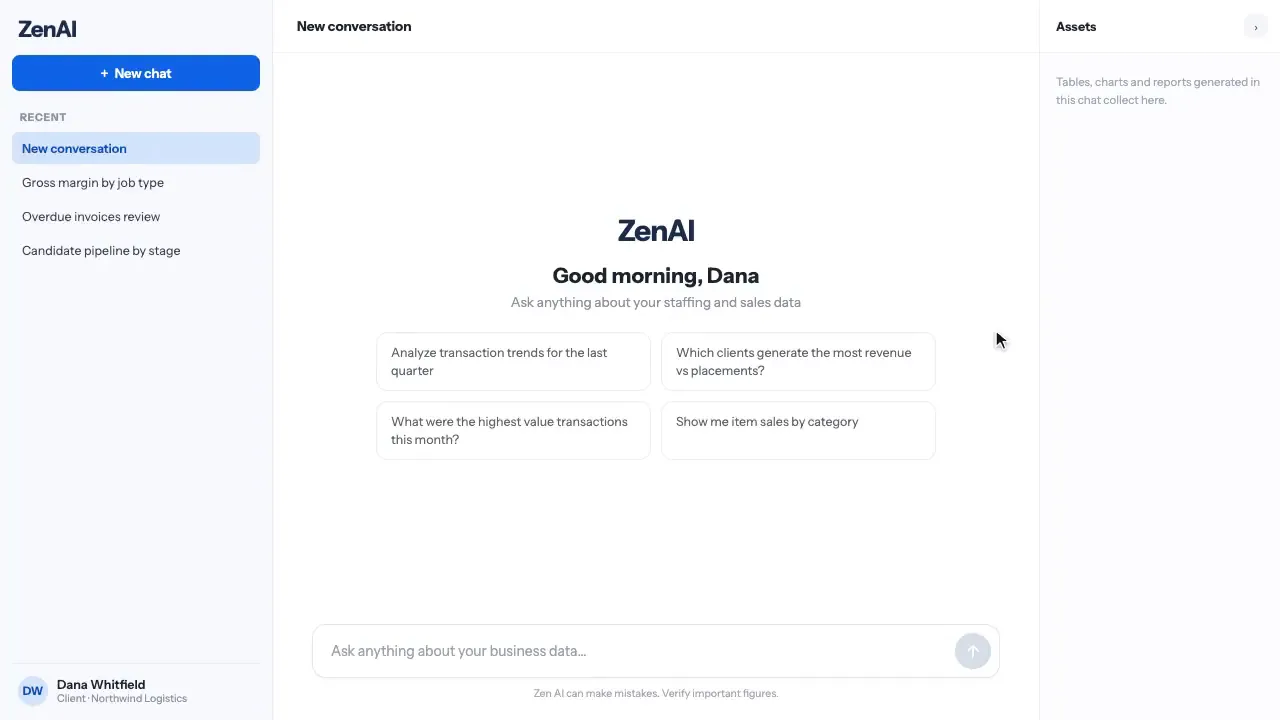
Start with a question
The assistant opens with suggested questions about the connected data. Everything happens in one conversation, and generated tables and charts collect in an assets panel.
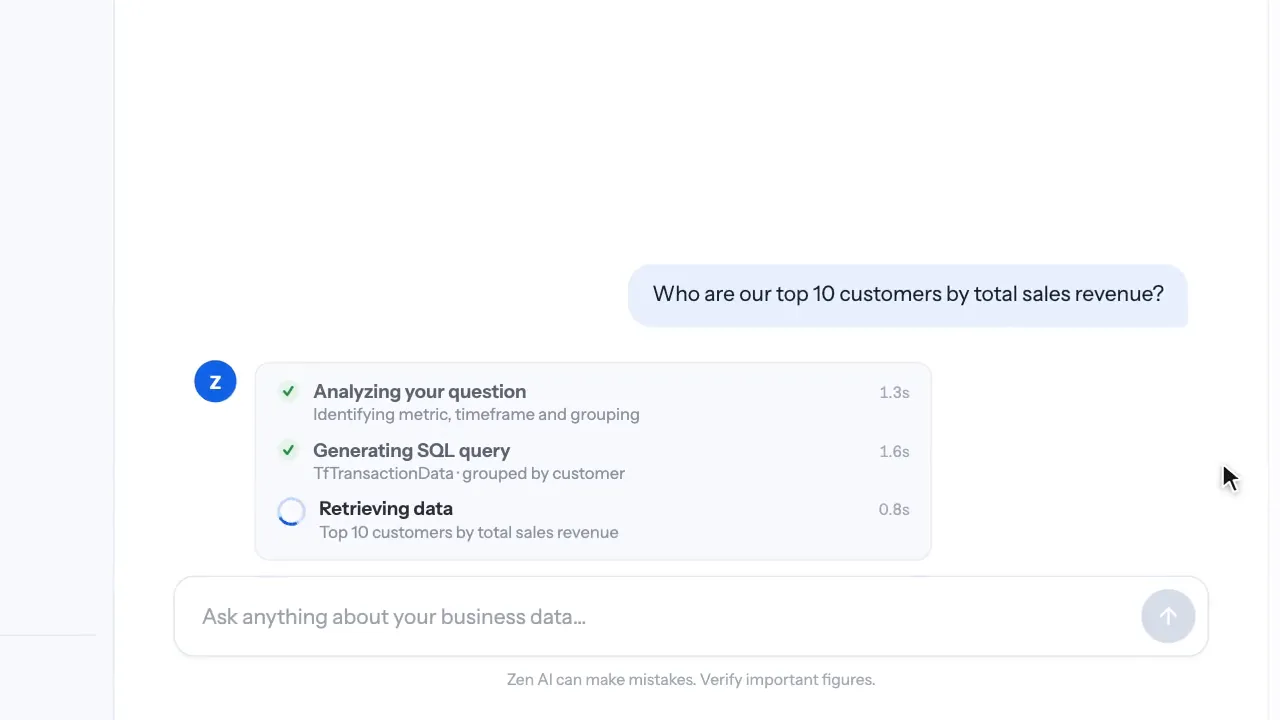
Watch the steps
Analysing the question, generating SQL and retrieving data show as separate steps with timings. When one fails, the failure is visible instead of a silently wrong number.
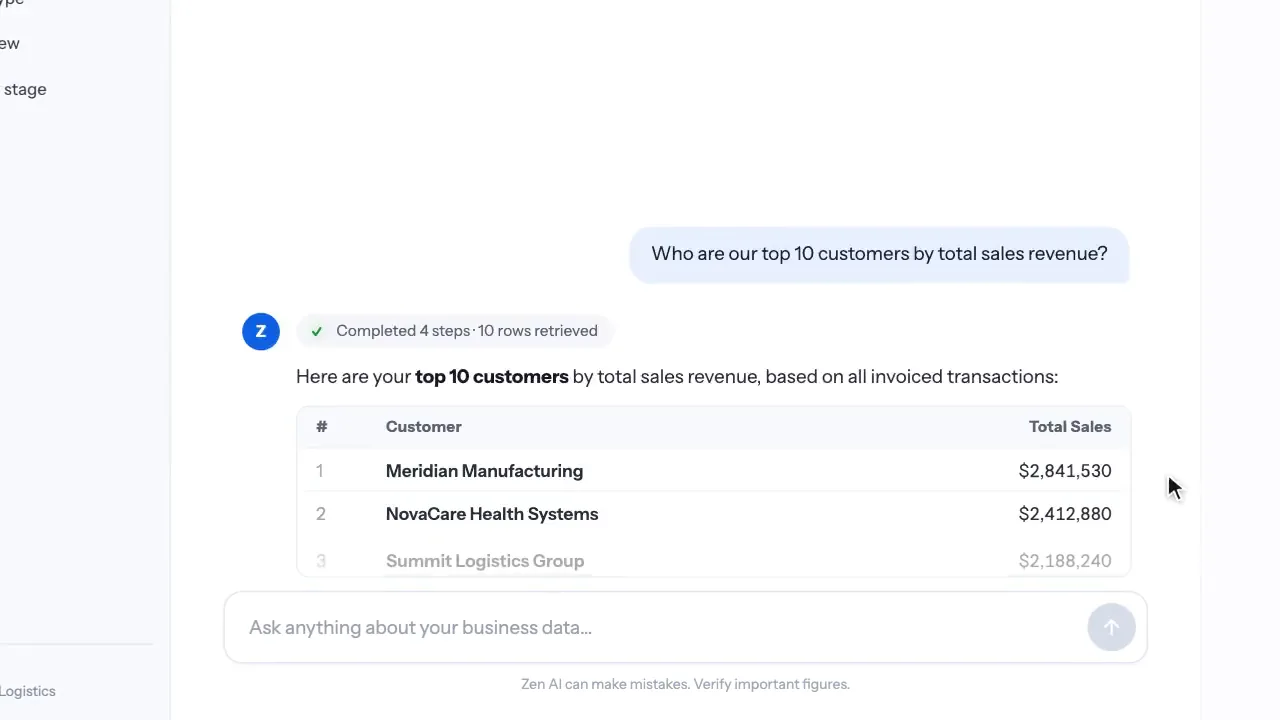
Get the table
Results arrive as a table with a one line summary of what was retrieved.
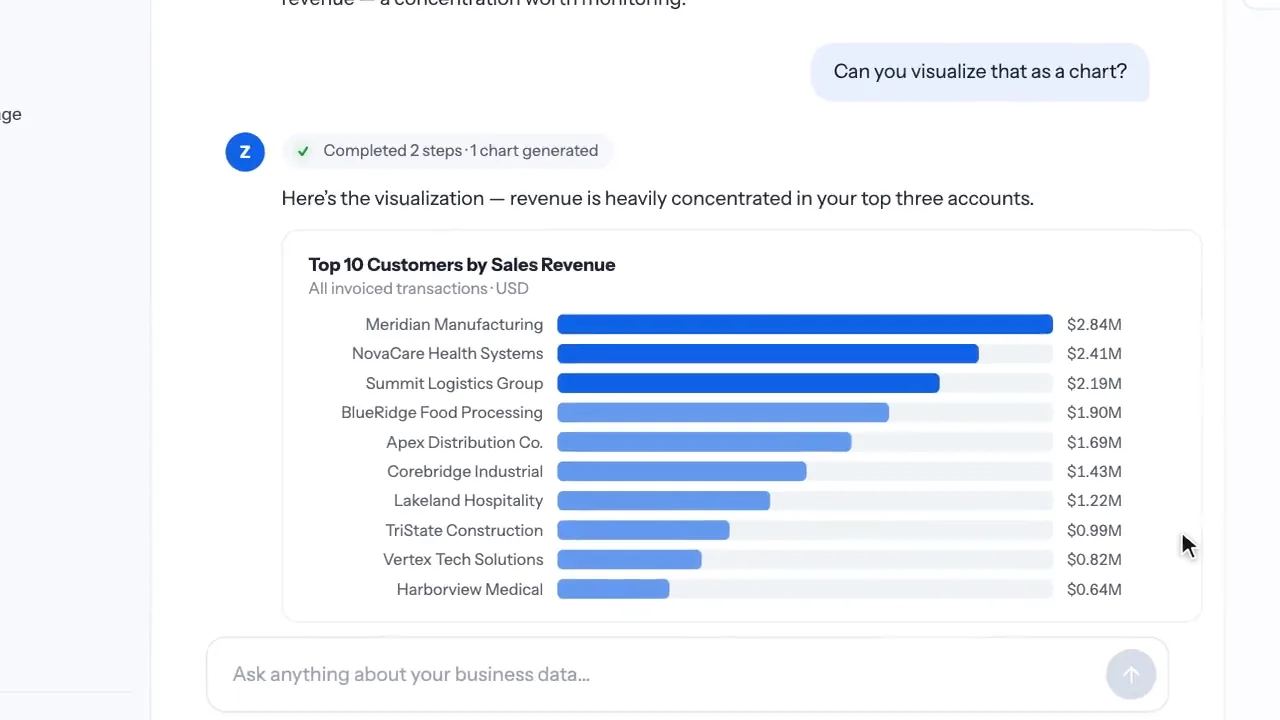
Ask for a chart
A follow up question produces a chart. The rendering code runs in a sandbox and the image comes back into the chat.
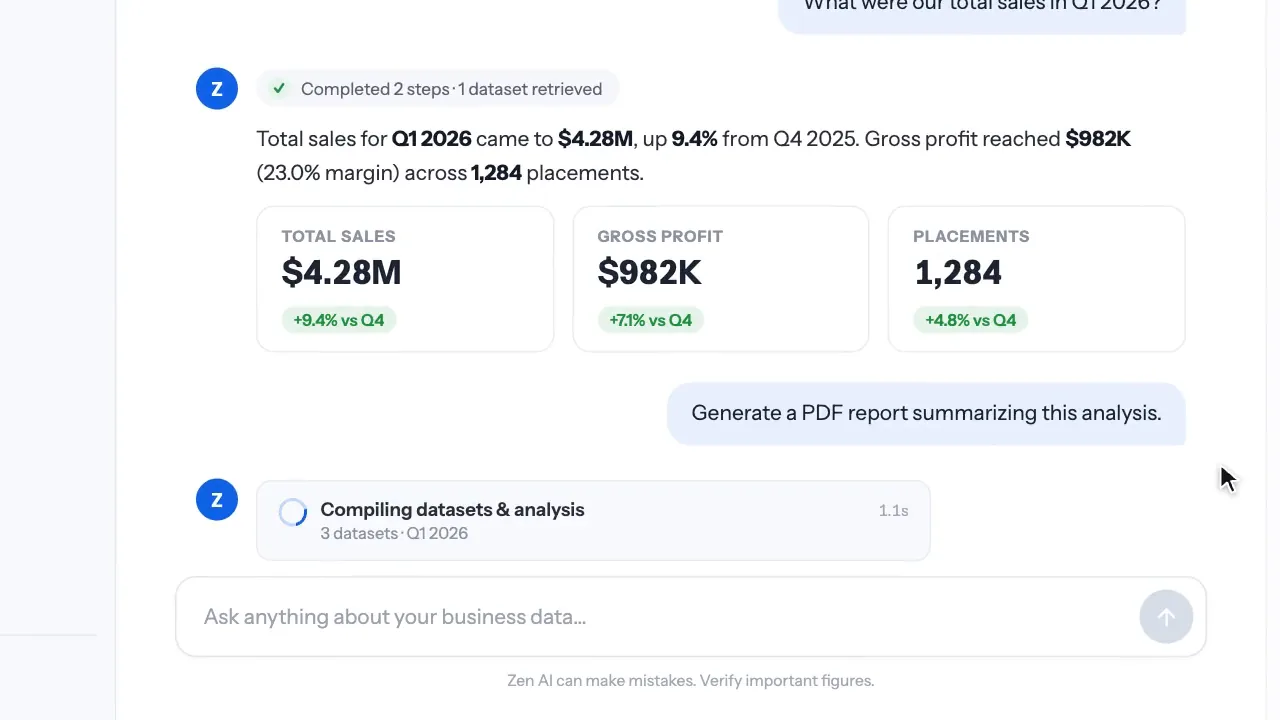
Compare periods
Summary questions come back as figure cards with period comparisons.
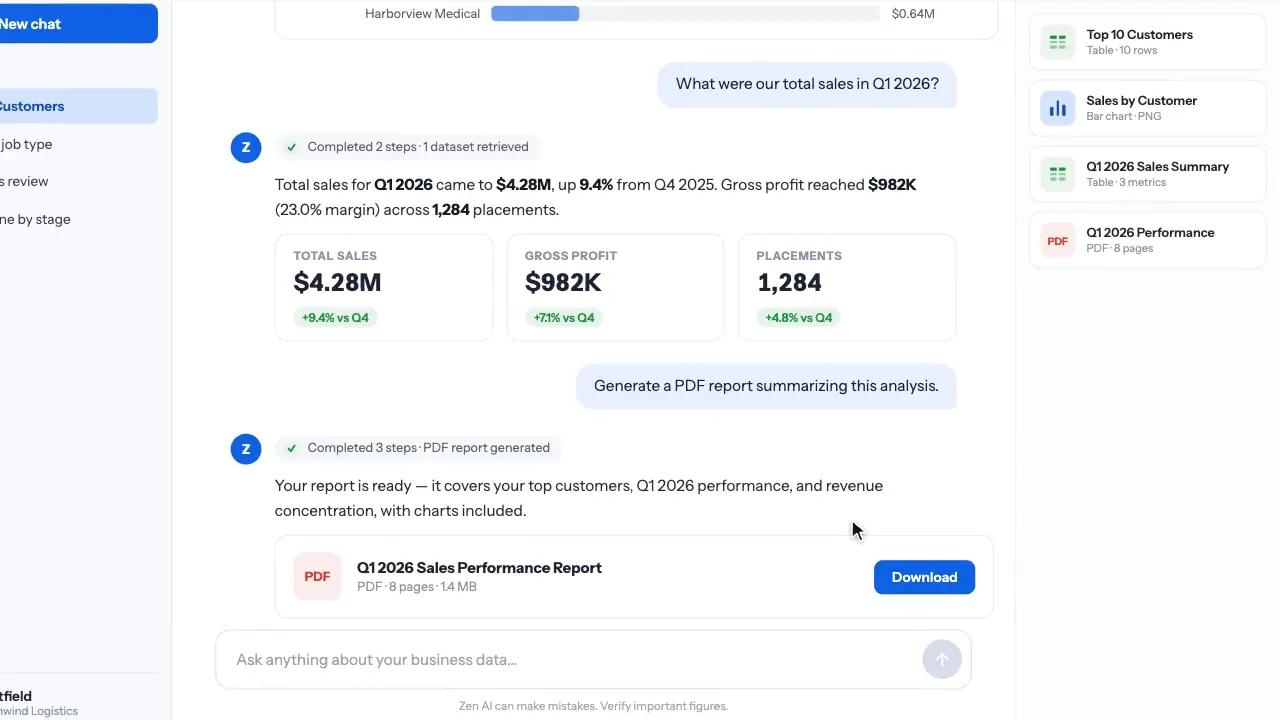
Export a report
The report agent compiles datasets and charts into a PDF generated from markdown and files it with the conversation’s assets.
Decisions that mattered
Validate SQL before it runs
A validation step catches malformed queries and a rewriter fixes the common cases. Wrong table choices get caught by a retrieval validation loop before generation.
Sandbox every line of generated code
Chart and report code runs in E2B rather than a local sandbox, so a bad generation cannot touch the API server.
Cheaper models where accuracy is not the point
Intent classification, routing and summarisation moved to cheaper models. SQL generation, reports and final answers stayed on the strongest one. The change was checked by automated tests, the client’s BI lead, and a blind review by someone who did not know which model produced which output.
Stream from the start
The workflow serialises each step as a server sent event, so the interface shows analysis, SQL and retrieval as they happen instead of a spinner.
PydanticAI as the model boundary
Agents are written against PydanticAI so a model can be swapped without rewriting the workflow, which is what made the cost work cheap to try.
Where it landed
Business questions become inspectable queries and streamed answers, and a wrong query now fails visibly and gets repaired instead of quietly returning the wrong number. I pitched and demoed the assistant to non technical clients myself.
- SQL validated and rewritten before it runs
- Generated code runs in an E2B sandbox
- Cheaper models for routing, checked by blind review
- No before and after cost figure was recorded, so this page quotes the blind review rather than a percentage.
- Semantic caching was on the list and not built.
- A semantic layer over the metadata was deliberately deferred until the current metadata approach had been measured.
Notes from the build
Written in my own words, after the fact. Opinions, not claims.
This started as an internship and became the job. It was also the first time I pitched something I had built to people who did not care how it worked, which changed how I think about the interface. A step list with timings did more for trust than any accuracy number I could have quoted.
The retrieval validation loop was the change I cared about most. Choosing the wrong tables produced SQL that ran fine and returned confident nonsense. Catching it before generation turned the scariest failure into a visible one.
Nawap Bastola · 2024 to 2025